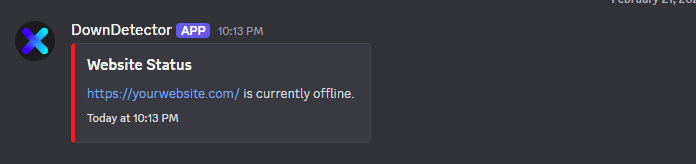
Outage Alert Embed
Short, high-signal alerts with endpoint, response window, and incident state.
 DownDetectorBot
Discord Monitoring Built For Developers
DownDetector posts outage, latency, and recovery events in one place so your team can react fast without leaving Discord.
What members see inside Discord, from first setup to incident recovery.
Short, high-signal alerts with endpoint, response window, and incident state.
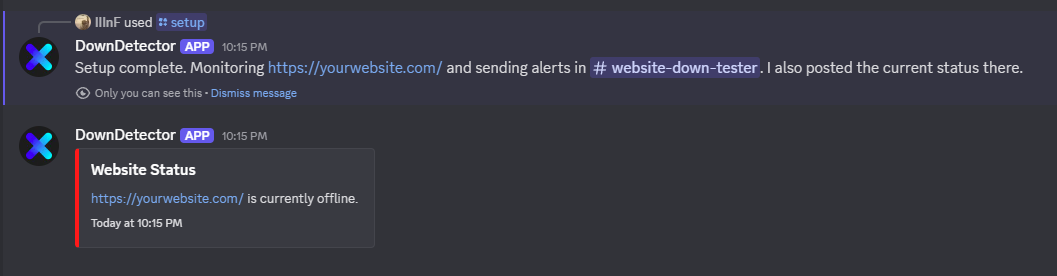
Launch monitoring using slash commands your team already understands.
01
Invite DownDetector and assign your alert channel.
/setup channel #outage-alerts
02
Add your endpoint and choose retry and interval behavior.
/change-site add url:https://site.com
03
Assign a channel for monitoring alerts.
/change-channel add channel #outage-alerts
Ping only the role that owns the service. Keep noise low and escalation clear.
Members get immediate "up again" confirmation when incidents resolve.
No dashboard training. Everything runs through commands and channels.
No. Setup and monitoring are managed in Discord commands and channel alerts.
Yes. Add as many monitors as you need and route each to the right channel.
Yes. Every outage event is paired with a recovery update when uptime returns.
Invite the bot, add your monitors, and keep your community informed automatically.